Chat export to PDF · Windows

Save Chats as PDF
Formerly ChatToPDFIQ. Store title: Save Chats as PDF: Chat Export & Archive.
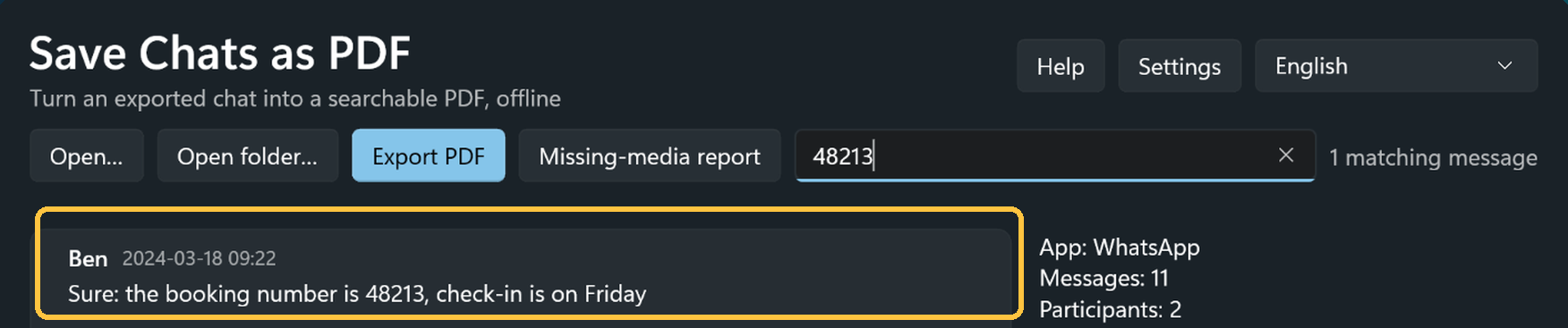
Lost that booking number? Turn a chat you exported yourself into a clean, searchable PDF, on your own PC.

- One-time purchase
- No subscription
- No account
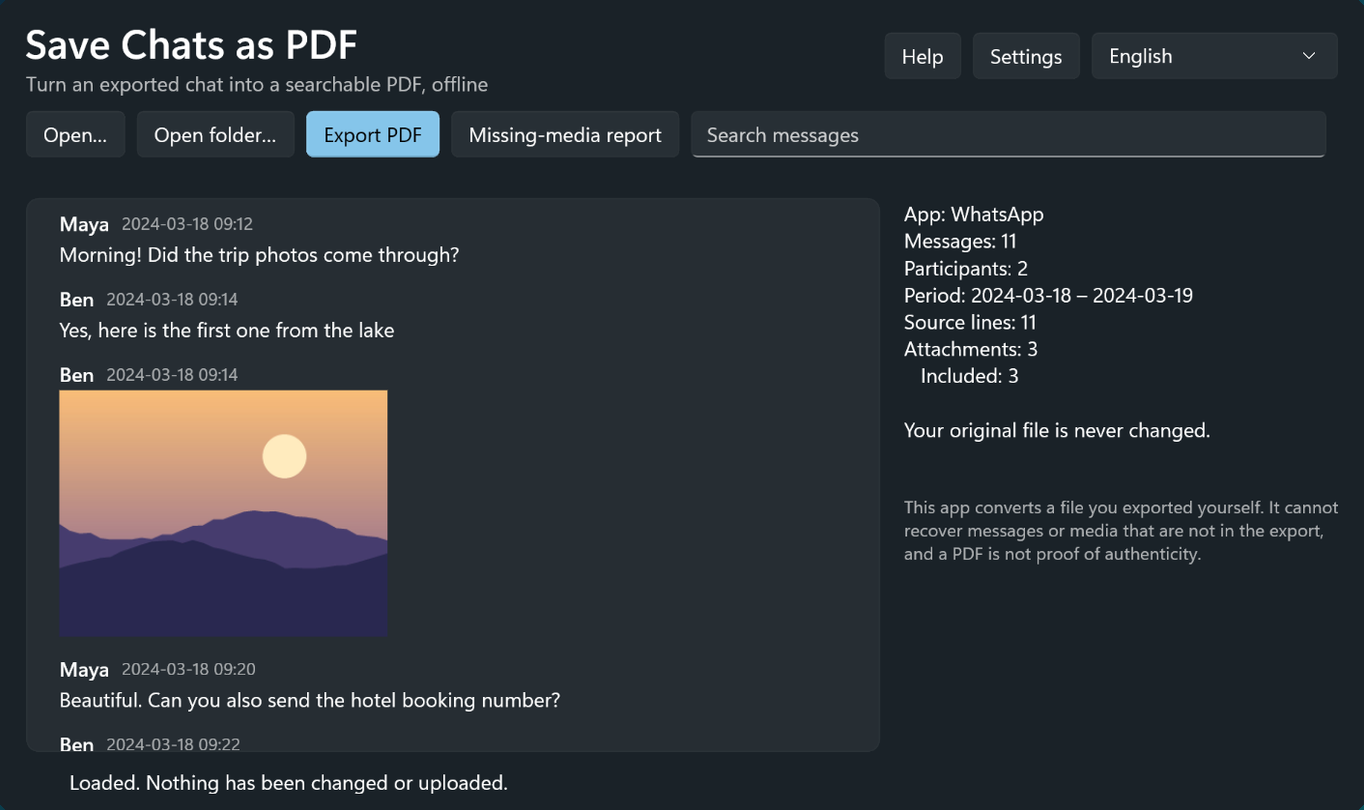
What you get
- A clean, paginated PDF
- The whole conversation in date order, with an optional table of contents by month.
- Photos inline
- Pictures stay in the conversation where they were sent.
- Preview and search first
- Find any message before you export, and filter by person and date range.
- Seven chat apps
- WhatsApp, Telegram, Messenger, Instagram, LINE, KakaoTalk and Discord exports are recognised automatically.
- Checked after writing
- The app reads the finished PDF back and checks every message. Missing media is listed in a separate report.
- Evidence-friendly record
- An optional information page records when the PDF was made, with SHA-256 fingerprints of your source file and photos.
How you use it
- Step 1
Export the chat
Use the chat app's own export. On WhatsApp, use the phone app and include media if you want the photos.
- Step 2
Open and check
Drop in the .zip, the export folder or the chat file. Preview and search it, and choose the people and dates.
- Step 3
Export the PDF
The PDF is written to the folder you choose. Your original file is never changed. A built-in sample chat lets you try it first.
Privacy
Everything is processed on your PC. Nothing is uploaded, and your original export is never modified.
Before you buy
- It converts a chat file you exported yourself. It cannot recover messages or media that are not in the export, and anything missing is listed in a separate report.
- The WhatsApp desktop app exports text only. To include photos, export from the WhatsApp phone app and choose to include media. Videos and voice notes appear as placeholders.
- A Discord data package contains only the messages you sent yourself, and its attachments are links that are not included.
- The PDF is evidence-friendly, not certified. It does not prove that the original messages are authentic.
- It is an independent product, not affiliated with WhatsApp, Meta, Telegram, LINE, Kakao or Discord.
Questions
Is this the same app as ChatToPDFIQ?
Yes. ChatToPDFIQ was renamed Save Chats as PDF. It is the same app, the same Store listing and the same one-time purchase.
Can it read my chats straight from WhatsApp?
No. You export the chat from the chat app first, then open the exported file in Save Chats as PDF.
Does it include photos and videos?
Photos appear inline when your export includes media. Videos and voice notes appear as placeholders.
How-to guide
Step by step, with screenshots, and what to do without the app.

Platforms and price
Save Chats as PDF for Windows
Available on Microsoft Store
One-time purchase in the Microsoft Store. No subscription and no in-app purchases.
Requires Windows 10 or later.

Get Save Chats as PDF
One-time purchase. No subscription. The store shows the price for your region.