Email files to PDF · Windows

MailPackIQ
Turn a folder of saved emails into organised, searchable PDFs, in one batch, on your PC.
MailPackIQ for Windows
Available on Microsoft Store
One-time purchase in the Microsoft Store. No subscription and no in-app purchases.
Requires Windows 11 · x64.
What you get
- One PDF per email, or one combined PDF
- The combined PDF has an index and bookmarks, so a long thread is easy to navigate.
- Consistent, date-ordered file names
- Oldest first, with the date, sender and subject in each name.
- Attachments kept
- Saved in their original format in a numbered folder next to each PDF, with an inventory.
- A report of every file
- What was converted, what needs a note, and anything that could not be converted.
How you use it
- Step 1
Add your email files
Files or a whole folder of .eml and .msg files you have already saved.
- Step 2
Check and choose
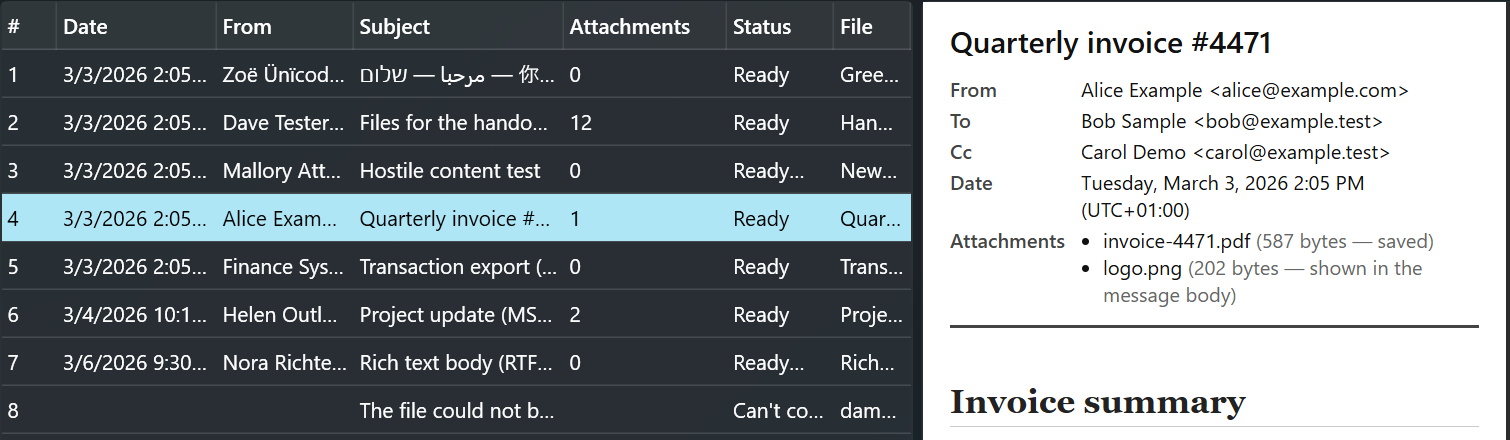
Preview each email, then pick one PDF per email or a combined PDF, A4 or US Letter.
- Step 3
Export
PDFs, attachment folders and a report go to the folder you choose. Nothing is overwritten.
Privacy
Your emails are converted on your PC. MailPackIQ does not sign in to or connect to an email account, and remote images in emails are never loaded. Your original files are only read, never changed.
Before you buy
- It converts saved .eml and .msg files. It does not open Outlook data files (PST, OST) or MBOX, and it does not connect to an email account.
- Attachments are saved as they are, not converted to PDF.
- Encrypted email is not supported, and there is no OCR or redaction.
- Your original email files are only read, never changed.
Questions
Does it work with Outlook?
It converts .msg and .eml files that are already saved on your PC. It does not open Outlook data files (PST or OST) or connect to Outlook.
Are attachments converted too?
No. They are saved as they are, next to the PDF, and listed in the report.
Get MailPackIQ
MailPackIQ for Windows
Available on Microsoft Store
One-time purchase in the Microsoft Store. No subscription and no in-app purchases.
Requires Windows 11 · x64.
Need help? MailPackIQ support