File name and path checker · Windows

MervanIQ
Finds the file and folder names that will break on another computer or operating system, before you copy, zip or hand a folder over.
MervanIQ for Windows
Available on Microsoft Store
One-time purchase in the Microsoft Store. No subscription and no in-app purchases.
Requires Windows 10 (version 1809) or later.
What a scan tells you
Finding
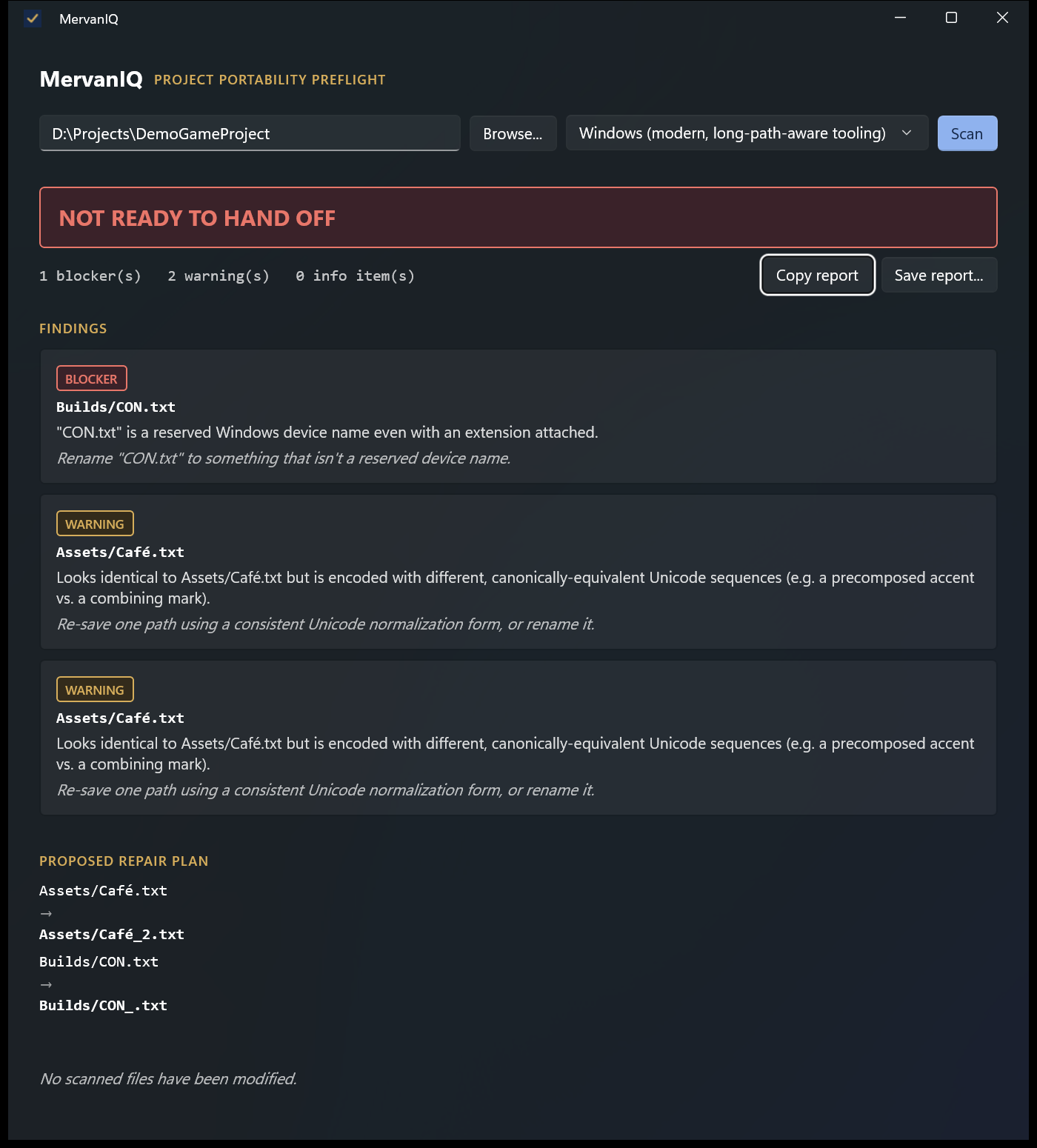
Builds/CON.txt
A reserved Windows device name, even with an extension. Graded as a blocker.
Proposed rename
Builds/CON.txt → Builds/CON_.txt
MervanIQ re-checks its own proposal so the new names don't collide with anything else.
Verdict
Not ready to hand off
Copy or save the report as text. You make the renames yourself; nothing on disk is changed.
What it checks
Pick where the folder is going: modern or older Windows tools, macOS, case-sensitive macOS, Linux, or all of them at once. Each finding is graded as a blocker, a warning or information.
- Reserved device names
- CON, PRN, AUX, NUL, COM1–9 and LPT1–9, including with an extension, like CON.txt.
- Characters Windows forbids
- Control characters and < > : " | ? * in a name.
- Trailing spaces and dots
- Names Windows silently trims or refuses.
- Path and name length
- Paths past the 260-character limit older tools still enforce, and names past 255.
- Case collisions
- Report.txt and report.txt: two files on one system, one file on the next.
- Unicode look-alikes
- Café.txt written two different ways: identical on screen, colliding once normalised.
- Combined collisions
- Names that only collide when case and Unicode rules apply together, as on macOS.
- Symlinks and junctions
- Reported, never followed, with a stronger warning if one points outside the folder.
How you use it
- Choose the folder and where it is going.
- Select Scan. Only names and folder structure are read, never file contents.
- Read the verdict and each finding with its suggested fix.
- Apply the renames you agree with, then scan again until it says ready.
Useful for developers moving a repository between Windows, macOS and Linux, studios archiving a project, and anyone zipping a folder for a client.
Privacy
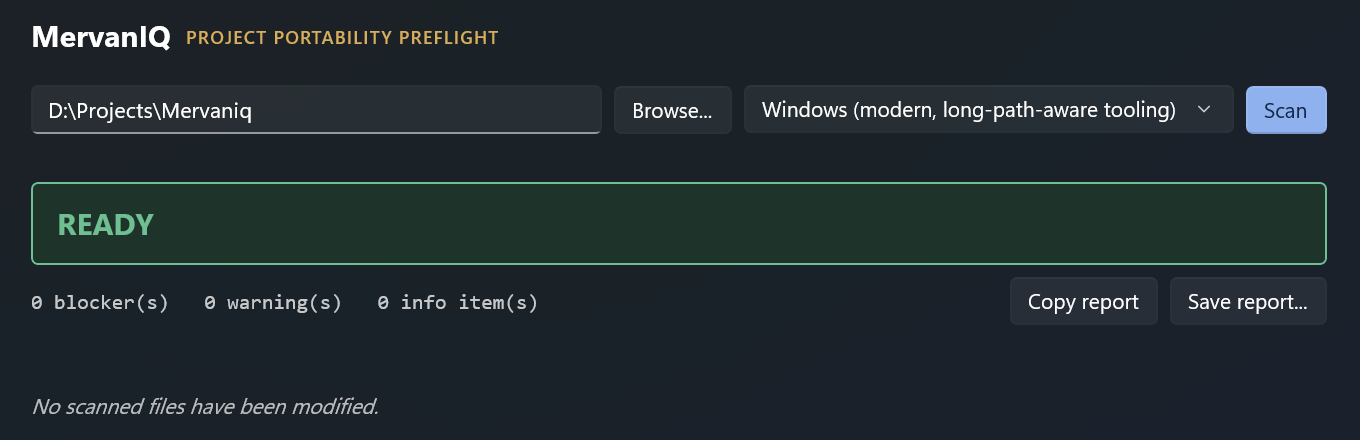
The scan runs on your PC. MervanIQ has no networking code: no account, no upload, no telemetry and no crash reporting. Buying, licensing and updates are handled by the Microsoft Store and Windows.
Before you buy
- It checks names and folder structure only. It does not open files or check what is inside them.
- It does not look inside zip or other archives, or through Git history.
- It proposes renames but never changes a file. You make the changes yourself.
- A clean result means none of its checks found a problem. It cannot promise that every copy or transfer will succeed.
Questions
Will it fix the files for me?
No. It proposes renames and checks that they would work, but it never renames, moves or deletes anything. Only you know whether something inside the project still refers to the old name.
Does it check Git repositories?
It checks the folder as it is on disk, including a working copy of a repository. It does not read Git history or the contents of zip files.
Is it a one-off purchase?
Yes. You pay once in the Microsoft Store. There are no in-app purchases or subscription. The Store shows the price for your region.
Get MervanIQ
MervanIQ for Windows
Available on Microsoft Store
One-time purchase in the Microsoft Store. No subscription and no in-app purchases.
Requires Windows 10 (version 1809) or later.
Need help? MervanIQ support